When working on a personal project, the final product is never your only reward. Your journey is what makes the process truly unique and worth experiencing. I recently finished building a little game in C++, and this process boosted my skills and confidence more than completing any tutorial or course ever could. So today, I want to talk about a few specific things I learnt throughout this process, that will hopefully motivate you to build more projects of your own.
But first, a little overview on what my project is about.
A few months ago, I played a retro video game on an emulator, called ‘Atari Video Cube’. It’s a puzzle game that came out back in 1983 for the Atari 2600, where you are in control of a character that runs around a cube (similar to a Rubik’s Cube), moving pieces until the cube is solved. It was a fun game and simple enough to implement, so I decided to create my own remake.
You can try it out here btw 🙂
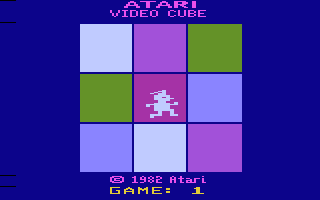
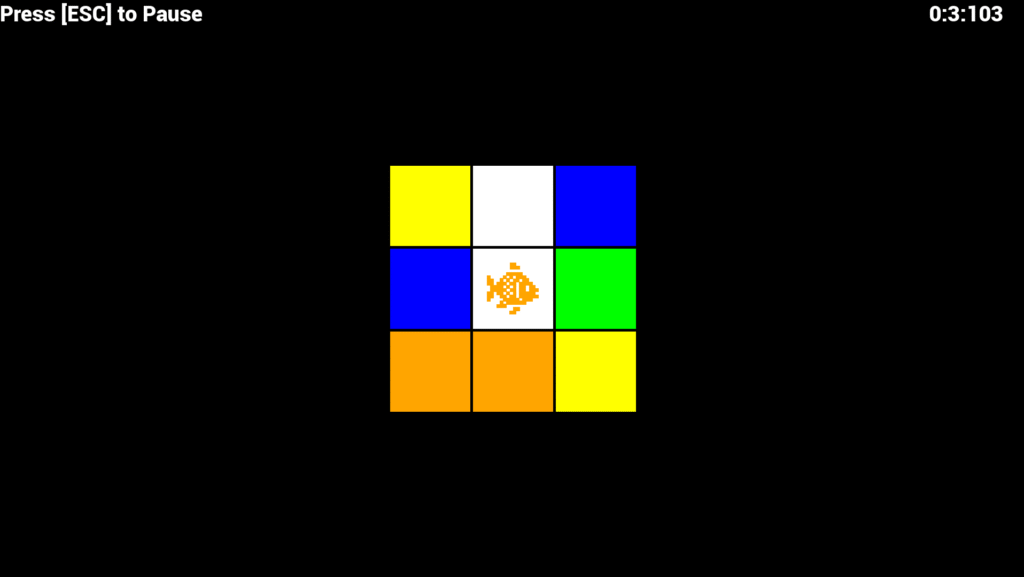
Disclaimer: Boosting confidence, learning time management, improving problem-solving skills etc. are all general perks that you can gain by working on any project, so I’ll be mainly focusing on specific practical/conceptual lessons I learnt from this process.
So here are the unique insights and lessons this experience gave me, that I find extremely valuable as an undergrad CS student.
The Use Of State Machines in Code
Throughout my CS degree so far, I’ve taken a couple of courses that focused on making abstract machines in contexts like string validation or circuit design. But for some reason, I never noticed how powerful these things are for practical use in programming. Once you break down your code into distinct states, and explicitly define the functionality of each state, your code instantly becomes modularized, maintainable and most importantly, scalable. This is the video that sparked my interest in this concept.
Organizing and Structuring a Project Directory
Whenever I used to find an interesting repo on Github, I would open it, look at all those strange files and subdirectories and instantly feel lost. Making this project totally changed that.
I initially used Visual Studio when working on SFML projects, but this time I decided to use Vim with raw CMake. This taught me how large-scale projects are organized, how IDE’s understand project structure, and how CMake interacts with other tools like LSP clients. Making src and include directories by hand, and manually placing files in their appropriate locations made me connect with my project—something Visual Studio’s abstracted experience could never provide.
Game Development from an Object Oriented Perspective
In the few SFML projects I’ve worked on until now, I’ve never really thought about utilizing OOP in game dev. But this project really showed me how convenient it is to go for a more object-oriented approach. You make a Game object, define update() and render() functions for it, create appropriate constructors and destructor, and all of a sudden your main function shrinks down to well under 20 lines. In my case, the game had a Player that moves around a Cube that has 6 Sides. Defining structured classes for each of these made the project way more modular, and significantly simplified debugging and adding new functionalities.
Efficient Use of AI in Development
I’ve never really liked the idea of using AI for coding. Ever since generative AI has gained massive popularity, I’ve tried my best to stay as far away from ‘Vibe Coding’ as possible. But the truth is, IF USED RIGHT, AI tools can provide a significant boost to your productivity. I understand that handing over your entire codebase to an AI chatbot and telling it to “fix the code” is a bad idea. But while building this project, I’ve come to admit that when used for elementary, bite-sized tasks, using AI isn’t really that bad. Like if I want to implement a basic Fisher-Yates shuffle on an array, or rotate a 3×3 matrix by 90 degrees, I can hand over these basic tasks to an AI, properly review the code it writes for it, and add it to my project. It allows me to preserve my time and energy for the important stuff, while maintaining full control over what code goes into my project.
Gaining Confidence in My Editor Config
Ok, maybe this isn’t a very practical lesson, but it sure is one of the most significant take-aways I’ve gained from working on this project. Our university started us off with using Visual Studio, so that’s what I had been using for about a year, even for simple single-file assignments. But a few months ago, I switched over to Vim as my primary code editor. However, as much as I loved using Vim, I was still unsure whether I was missing out on some important tools and functionalities of professional IDE’s. Working on this project swept away all of my doubts. I am now positive that my current Vim setup serves me WAY better than Visual Studio. I can edit code blazingly fast. I can run and debug the project just like I would in VS. I can work in a clean, minimal environment with no clutter. And most importantly, I can jump from file to file and be where I want to be in an INSTANT. Even with Vim motion extensions, this kind of experience simply cannot be offered by Visual Studio or other IDE’s.
Wrap-Up
To sum things up, I’ve learnt a lot from this experience, and like I said, the finished game itself is definitely not the only thing I gained. My experience is just one of many stories that prove that building a personal project is not only enjoyable, but also an opportunity to learn something new. So regardless of whether you’re a self-taught beginner or a seasoned veteran, just start building. Dive in, make mistakes and learn from the process. Because mistakes are the best of teachers, and there is no substitute for practical experience.